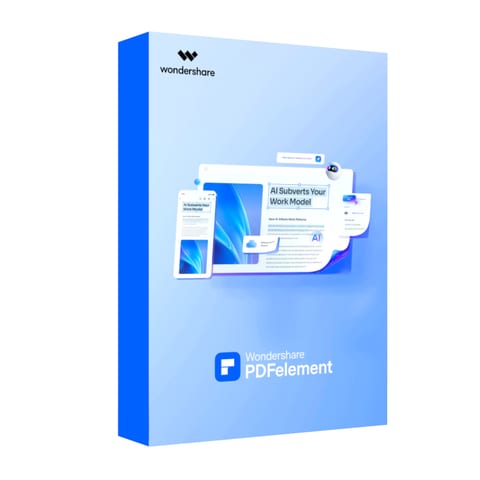
Wondershare PDFelement for iOS Team Yearly Plan
Brand: Wondershare
- Delivered nationwideDoor-to-door, anywhere in South Africa
- NoneLocal support
- 7-day returnsChange your mind within 7 days of delivery. Returns policy
- Secure checkoutPaid on an encrypted payment page
Description
The Wondershare PDFelement for iOS Team is a powerful cross-platform PDF solution tailored for businesses and professional teams. With intuitive editing, annotation, and conversion tools, it allows teams to manage PDF workflows seamlessly from their iOS devices. Whether you’re editing text and images, signing contracts, or converting large batches of PDFs, PDFelement for iOS makes teamwork more efficient and secure. The built-in team management feature ensures administrators can easily assign, revoke, and manage end-users through Wondershare ID, making license and workflow management simple and scalable.
Designed for productivity on the go, PDFelement lets team members annotate, comment, and collaborate on PDF files in real time. Its batch processing tools allow users to convert, compress, and optimize documents quickly, while integrated security features like password protection and digital signatures ensure that sensitive files remain safe. Teams can also enjoy 1GB of PDFelement Cloud storage, giving them easy access to their files anytime, anywhere, without relying solely on device storage.
The solution also includes scanning and OCR functionality, enabling users to digitize paper documents into editable and searchable PDFs directly from their mobile devices. Whether your team is scanning receipts, creating forms, or extracting data, PDFelement provides a smooth and efficient workflow. Advanced features like watermark editing, hyperlink insertion, and page organization tools further enhance document flexibility and control.
With wide compatibility across Windows, Mac, Linux, and iOS, Wondershare PDFelement for iOS Team ensures a professional-grade experience for project managers, administrators, and business users alike. Backed by 1-year of free upgrades and priority support, it’s a reliable digital document solution that helps teams save time, streamline communication, and boost overall productivity.
FEATURES
- Team management: assign, revoke, and manage users via Wondershare ID
- Edit text, images, watermarks, and hyperlinks in PDFs
- Annotate, comment, and draw on PDF files with sticky notes and markup tools
- Batch convert, compress, and optimize multiple PDFs at once
- Secure files with passwords, redactions, and e-signatures
- 1GB of free PDFelement Cloud storage for team access
Product information
- Brand
- Wondershare
- SKU
- PE005
- Warranty
- None
- Edit PDF
- Edit Text: Add or edit text in PDF files. Fix a typo, adjust the format, or add new content.
- Add Images
- Add, delete, or rotate any image with intuitive and easy steps.
- Change Watermark
- Add a personalized watermark using text or images, or easily remove an existing one.
- Insert Hyperlink
- Create hyperlinks to specific pages or external websites for a better reading experience.
- Scan and OCR PDF
- Mobile Scanner: Quickly scan and digitize paper documents such as receipts, invoices, certificates, and more.
- Enhance & Deskew
- Remove unwanted backgrounds and trim edges for a clean and precise scan.
- Extract Text
- Extract text from images or PDFs for easy searching, editing, and sharing later.
- Batch Scan
- Easily scan multiple pages into a single document with just a few clicks.
- Annotate and Comment PDF
- Annotate: Mark up your PDFs with highlights, strikethrough, and wavy lines.
- Comment
- Easily manage your bookmarks and comments-add, delete, modify, and search with just a few clicks.
- Sticky Notes
- Paste sticky notes to leave your creative comments with ease.
- Draw
- Draw directly on PDFs using tools like a pencil, shapes, or a marker.
- Convert PDF
- Convert PDF to Office: Convert PDF to Microsoft Word, Excel, and PowerPoint documents.
- Convert PDF to Image
- Convert PDF to JPG, PNG, GIF, and Single Image.
- Convert PDF to More
- Convert PDF to HTML, Pages, EPUB, Text, TIFF, and RTF.
- Convert to PDF
- Convert Microsoft Word, Excel, and PowerPoint files to PDF.
- Fill & Sign PDF
- Fill Forms: Fill out PDF forms using interactive text fields, checkboxes, and radio buttons.
- E-Signature
- Easily create your signature with your finger or upload existing digital signatures.
- Stamps
- Create custom stamps or import one from your images.
- Sync to the Cloud
- Sync your signatures and stamps on any device with PDFelement Cloud.
- Create PDF
- Create from Office File: Create PDFs from Microsoft Office files, including Word, Excel, and PowerPoint documents.
- Create Blank PDF
- Custom templates in various styles, including blank, lined, grid, dotted, graph, and music paper options.
- Create PDF from Images
- Import files directly from Photos or scan paper documents using your device’s camera.
- Create from Files
- Import documents from Files to save as PDF format.
- Store and Share PDF
- Store PDFs: Access your files from cloud services like PDFelement Cloud, Dropbox, Google Drive, and One Drive.
- Sync PDFs
- Sync PDFs across PC, Mac, and iOS devices via PDFelement.
- Protect PDFs
- Set a password for the confidential content to ensure better security.
- Share PDFs
- Easily share PDFs via social media, links, or email.
- Save without watermark
- Yes
- Compress PDF
- Yes
- Flatten PDF
- Yes
- Auto Save
- Yes
- Signature
- Yes
- Image/Camera Signature
- Yes
- Text-Only Recognition
- Yes
- OCR PDF
- Yes
- Edit
- Yes
- Scan
- Yes
- Cloud Storage
- 1GB PDFelement Cloud Storage
You might also like
View all